



TL;DR:
- Automating your finances involves setting up automatic transfers and payments to reduce manual tasks and save time.
- Following the priority order of savings first, then bills and investments, prevents overspending and protects your goals.
Automating your finances is the process of setting up automatic transfers and payments so your money moves where it needs to go without manual intervention. Done right, it eliminates about 95% of manual financial tasks like tracking bills and moving money between accounts. The setup takes just 2–4 hours and saves over 20 hours annually. That time savings alone makes financial automation one of the highest-return habits you can build. This guide walks you through every step, from choosing the right tools to building maintenance habits that keep everything on track.
What do you need to start automating your finances?
Before you flip any switches, you need the right account structure. Most people do well with three accounts: a checking account for income and bill payments, a high-yield savings account for your emergency fund and short-term goals, and a brokerage or retirement account for long-term investing. Keeping these accounts separate makes automation cleaner and easier to track.
The right finance management software matters just as much as the accounts. Your bank’s built-in bill pay and transfer tools handle the basics. For a fuller picture, dedicated personal finance apps let you set rules, track categories, and flag unusual spending automatically. Automated expense tracking tools go one step further by tagging every transaction without any input from you.
Here is a quick breakdown of the main types of financial automation tools and what each one does best:
| Tool type | Best use |
|---|---|
| Bank autopay | Fixed recurring bills (rent, utilities, loan payments) |
| Savings transfer scheduler | Automatic deposits to savings or emergency fund |
| Investment auto-contribution | Regular deposits to brokerage, IRA, or 401(k) |
| Budgeting and tracking apps | Expense categorization and spending alerts |
| Debt payoff schedulers | Extra principal payments on loans or credit cards |
Before you set anything up, gather your key financial details:
- Your monthly take-home income and pay dates
- A list of every recurring bill with due dates and amounts
- Current balances for savings, investments, and any debts
- Your short-term and long-term financial goals
Pro Tip: Open a high-yield savings account at a different bank than your checking account. The slight friction of transferring money back makes you less likely to dip into savings impulsively.
How do you automate savings, bills, investments, and debt?
The correct priority order for financial automation is savings first, then fixed bills, then investments. This sequence protects your core goals even when money feels tight. Setting up automation in this order also prevents the most common mistake: spending what you meant to save.
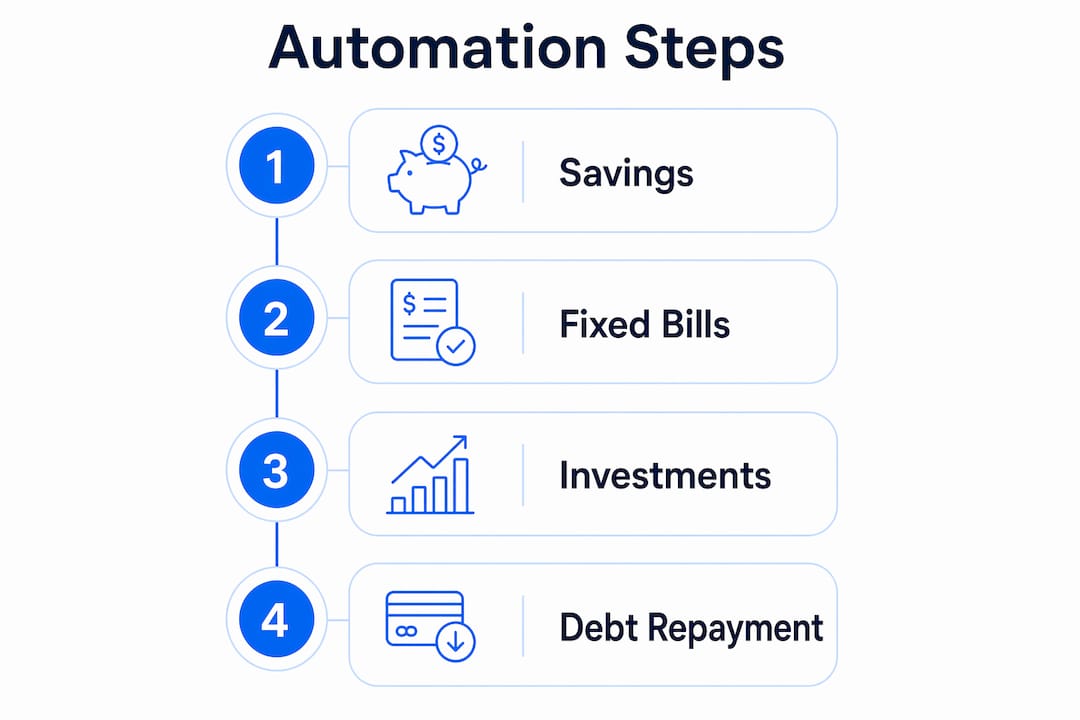
Step 1: Automate savings first
The “pay yourself first” principle means your savings transfer fires before you spend a dollar. Schedule an automatic transfer from checking to your savings account for the day after each paycheck lands. The U.S. personal savings rate was 4.6% in 2024, well below the 20% experts recommend. Automation closes that gap by removing the decision entirely.

Step 2: Set up autopay for fixed bills
Fixed bills are the easiest to automate because the amounts do not change. Set autopay for rent or mortgage, utilities, insurance premiums, and subscription services directly through each provider or your bank’s bill pay system. Automation reduces late fees and manual tracking errors, which saves real money over time. Schedule each payment 2–5 days after payday to give your paycheck time to clear and avoid overdrafts.
Step 3: Automate your investments
Consistent investing beats trying to time the market. Set up automatic contributions to your 401(k), IRA, or taxable brokerage account on a fixed schedule. This approach, known as dollar-cost averaging, means you buy more shares when prices are low and fewer when prices are high. For taxable accounts, enable dividend reinvestment plans (DRIP) so every dividend automatically buys more shares and compounds your returns. Finblog’s guide on investment consistency covers how to build this habit reliably.
Step 4: Automate debt repayment
Treating debt payments like a subscription service removes the need for willpower. Automated debt repayments set up as recurring transfers improve payoff success because the payment happens whether you feel motivated or not. For credit cards, set autopay to pay the full statement balance each month. Paying the full balance automatically prevents interest charges and builds your credit score over time. If you carry multiple debts, Finblog’s resource on debt repayment planning explains how to sequence extra payments for maximum impact.
Pro Tip: After setting up minimum debt payments on autopay, create a second automatic transfer for an extra principal payment. Even $25 extra per month accelerates payoff significantly on most loans.
What mistakes should you avoid when automating your finances?
Automation is powerful, but it creates blind spots if you set it and forget it completely. The most common pitfalls are predictable and preventable.
- Automation drift. Subscription prices increase, insurance premiums change, and utility bills fluctuate. If you never check, your checking account slowly drains without warning. Monthly reviews prevent automation drift by catching these changes before they cause overdrafts.
- Insufficient buffer in checking. Autopay fails when your checking account runs dry. Keep a buffer of at least one month’s worth of fixed expenses sitting in checking at all times. This acts as a cushion against timing mismatches between income and payments.
- Forgotten subscriptions. Most people underestimate how many subscriptions they carry. A quarterly audit of your bank and credit card statements often reveals services you stopped using months ago.
- Ignoring variable income. Freelancers and gig workers face a real challenge with automation because income is unpredictable. The fix is to automate based on your lowest expected monthly income, not your average. Transfer any surplus manually at the end of each month.
Automation does not replace financial awareness. It replaces the manual labor of moving money. You still need to know where your money is going. The goal is to reduce the effort required to stay on track, not to stop paying attention entirely.
Setting up financial priorities before you automate prevents the most expensive mistakes. Knowing which goals matter most tells you exactly how to sequence your transfers and how large each one should be.
How do you maintain and monitor your automated finances?
Automation needs a human check-in to stay accurate. A simple monthly review takes about 15 minutes and catches most problems before they compound. Here is the routine that works:
- Log in to every account. Check checking, savings, investment, and debt accounts. Confirm every automated transfer fired correctly and landed in the right place.
- Review your spending categories. Compare actual spending against your budget. Flag any category that ran significantly over or under. This tells you whether your automation amounts still match your real life.
- Check for new or changed subscriptions. Look for any charge you do not recognize or any amount that changed since last month. Cancel or adjust immediately.
- Confirm your buffer is intact. Your checking account buffer should still be at least one month of fixed expenses. If it dropped, find out why and replenish it before the next pay cycle.
- Run a quarterly deep review. Every three months, revisit your savings rate, investment contributions, and debt payoff progress. Adjust amounts if your income changed or if you hit a milestone like paying off a card.
Using alerts and notifications adds a real-time safety net between monthly reviews. Set low-balance alerts on your checking account to trigger at your buffer threshold. Set large-transaction alerts for any charge above a set dollar amount. These notifications catch problems within hours instead of weeks. Remittance alerts and savings-focused notifications work on the same principle: timely information lets you act before small issues become expensive ones.
Key Takeaways
Automating your finances works best when you follow the correct priority order, savings first, then bills, then investments, and pair it with monthly reviews to prevent drift.
| Point | Details |
|---|---|
| Start with savings | Automate a savings transfer the day after payday before any other spending occurs. |
| Follow priority order | Set up savings, then fixed bills, then investments to protect core financial goals. |
| Schedule payments correctly | Time all autopay 2–5 days after payday to avoid overdrafts from timing gaps. |
| Enable DRIP for investments | Dividend reinvestment plans compound returns automatically without extra effort. |
| Review monthly | A 15-minute monthly audit prevents automation drift and catches subscription creep early. |
Why I think most people set up automation backward
Most guides tell you to automate bills first because bills feel urgent. I disagree with that approach. Bills are not your most important financial obligation. Your future self is. When you automate savings first, you treat wealth building as a fixed cost rather than whatever is left over at the end of the month.
I learned this the hard way. Early on, I automated every bill perfectly and told myself I would save whatever remained. The remainder was always smaller than expected. The month I flipped the order and moved savings to day one of my pay cycle, my savings rate jumped immediately. The bills still got paid. They always do.
The other thing most people underestimate is how much mental weight automation removes. Not having to remember due dates, transfer amounts, or whether you paid something last month is genuinely freeing. That mental space goes toward better decisions, not just convenience.
Start with one automated transfer this week. One. Then build from there. The system does not need to be perfect on day one. It needs to exist.
— Povilas
Finblog’s resources for smarter financial automation
Finblog covers the full range of personal finance topics that support a well-built automation system. Whether you are working through debt, setting spending priorities, or building an investment habit, the content at Finblog gives you the frameworks to make better decisions at each stage. The guides are written for real people managing real money, not theoretical portfolios. If debt payoff is your next focus, the Finblog article on building a debt repayment plan walks through exactly how to sequence payments and use automation to stay consistent without relying on motivation alone.
FAQ
What is financial automation?
Financial automation is the process of scheduling automatic transfers and payments so your money moves between accounts and toward bills, savings, and investments without manual action each time.
How long does it take to set up automated finances?
Setting up a complete automated financial system takes 2–4 hours and saves over 20 hours of manual financial management per year.
What order should I automate my finances in?
Automate savings first, then fixed bill payments, then investment contributions. This priority order protects your most important financial goals even in tight months.
How do I avoid overdrafts with automated payments?
Schedule all automated payments 2–5 days after your payday and keep a buffer of at least one month’s fixed expenses in your checking account at all times.
How often should I review my automated finances?
A 15-minute monthly audit is enough for most people. Run a deeper review every quarter to adjust contribution amounts, catch subscription creep, and realign automation with any income changes.